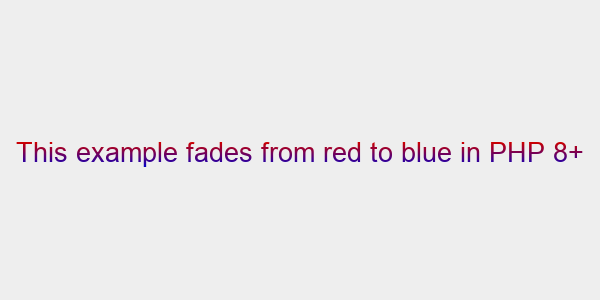
Example: Red to Blue in PHP 8+
04-red-to-blue-in-php-8.php
<?php

/**
 * Imagettftextgradient Example (Red to Blue in PHP 8+)
 *
 * Copyright (c) 2017-2026 Andrew G. Johnson <andrew@andrewgjohnson.com>
 * Permission is hereby granted, free of charge, to any person obtaining a copy of this software and associated
 * documentation files (the "Software"), to deal in the Software without restriction, including without limitation the
 * rights to use, copy, modify, merge, publish, distribute, sublicense, and/or sell copies of the Software, and to
 * permit persons to whom the Software is furnished to do so, subject to the following conditions:
 * The above copyright notice and this permission notice shall be included in all copies or substantial portions of the
 * Software.
 * THE SOFTWARE IS PROVIDED "AS IS", WITHOUT WARRANTY OF ANY KIND, EXPRESS OR IMPLIED, INCLUDING BUT NOT LIMITED TO THE
 * WARRANTIES OF MERCHANTABILITY, FITNESS FOR A PARTICULAR PURPOSE AND NONINFRINGEMENT. IN NO EVENT SHALL THE AUTHORS OR
 * COPYRIGHT HOLDERS BE LIABLE FOR ANY CLAIM, DAMAGES OR OTHER LIABILITY, WHETHER IN AN ACTION OF CONTRACT, TORT OR
 * OTHERWISE, ARISING FROM, OUT OF OR IN CONNECTION WITH THE SOFTWARE OR THE USE OR OTHER DEALINGS IN THE SOFTWARE.
 *
 * PHP version 5
 *
 * @category  Andrewgjohnson
 * @package   Imagettftextgradient
 * @author    Andrew G. Johnson <andrew@andrewgjohnson.com>
 * @copyright 2017-2026 Andrew G. Johnson <andrew@andrewgjohnson.com>
 * @license   https://opensource.org/licenses/mit/ The MIT License
 * @link      https://github.com/andrewgjohnson/imagettftextgradient
 */

// Include the imagettftextgradient source if you’re not using Composer
if (file_exists('../source/imagettftextgradient.php')) {
    require_once '../source/imagettftextgradient.php';
} elseif (!function_exists('imagettftextgradient')) {
    die('imagettftextgradient not found');
}

// Set the parameters for our image
$width           = 600;
$height          = 300;
$size            = 20;
$font            = dirname(__FILE__) . '/NotoSans-Regular.ttf';
$string          = 'This example fades from red to blue in PHP 8+';

// Calculate the text size in advance
$textDimensions  = imagettfbbox($size, 0, $font, $string);

// Calculate the text’s edges
$textLeft        = min($textDimensions[0], $textDimensions[2], $textDimensions[4], $textDimensions[6]);
$textRight       = max($textDimensions[0], $textDimensions[2], $textDimensions[4], $textDimensions[6]);
$textTop         = min($textDimensions[1], $textDimensions[3], $textDimensions[5], $textDimensions[7]);
$textBottom      = max($textDimensions[1], $textDimensions[3], $textDimensions[5], $textDimensions[7]);

// Calculate the text’s position
$xOffset         = (int)round(($width / 2) - (($textRight - $textLeft) / 2) - $textLeft);
$yOffset         = (int)round(($height / 2) - (($textBottom - $textTop) / 2) - $textTop);

// Create our image
$im              = imagecreatetruecolor($width, $height);

// Set our image’s colors
$backgroundColor = imagecolorallocate($im, 0xEE, 0xEE, 0xEE);
$red             = imagecolorallocate($im, 0xCC, 0x00, 0x00);
$blue            = imagecolorallocate($im, 0x00, 0x00, 0xCC);

// Fill our image with the background color
imagefill($im, 0, 0, $backgroundColor);

// Place the text onto our image
imagettftextgradient(
    $im,
    $size,
    0,
    $xOffset,
    $yOffset,
    $red,
    $font,
    $string,
    array(),
    $blue
);

// Display our image and destroy the GD resource
header('Content-Type:image/png');
imagepng($im);
version_compare(PHP_VERSION, '8.0.0', '<') && imagedestroy($im);
Expected Output
04-red-to-blue-in-php-8.png